Go from idea to 5 posts and a first product in 30 days
One short lesson a day, done in Eden. Find what you write about, publish 5 posts, write one long piece, and open your store.
Most people who want to build an audience never get past the first week. They don't know what to write about, they run out of ideas, and nothing they post sounds like them.
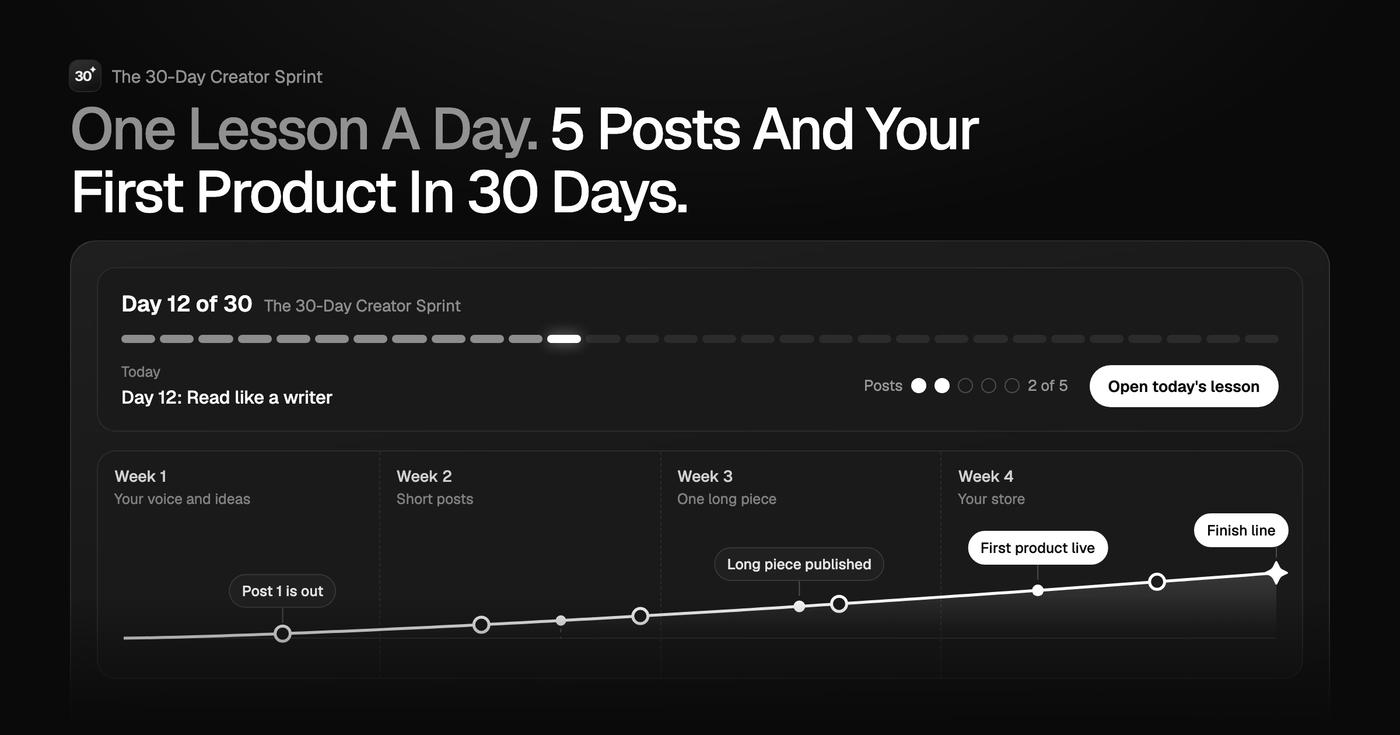
The Sprint fixes that with one lesson a day for 30 days. Each lesson takes 15 to 40 minutes and ends with something finished: a document, a post, a page.
What you do each week
- Week 1: Your voice and your ideas. Find your point of view, map what you'll write about, set up capture, and publish your first post.
- Week 2: Short posts that hit. Write your profile, practice hooks and titles, and publish two more posts.
- Week 3: One long piece, many posts. Write one deep piece, turn it into a week of posts, and plan a routine that takes about 2 hours a week.
- Week 4: Your store. Pick a small product your posts already prove people want, build it, write its page, and point a post at it.
How it works
- Every lesson has clear steps, real examples, a copy-paste prompt for Eden chat, and answers to the questions people usually have.
- Links open Eden in a new tab, so the lesson stays open while you work.
- The lesson list shows a check for every lesson you finish.
- Fall behind? Day 29 is a catch-up day.
By day 30 you have a clear point of view, a content map, a swipe file, 5 published posts, one long piece, and a small product in your own store.
Included with Eden for $5 a month, and every plan above it. It isn't sold on its own.
Unlock with Eden for $5What's included
- 31 short lessons: Start here, 30 days in 4 weeks, and the finish line.
- A copy-paste prompt in every lesson, so you always know what to type into Eden chat.
- Real examples and answers to the questions people ask, in every lesson.
- A lesson list that checks off every lesson you finish, so you always know what's next.
- The 30-day plan as a table you can copy into your own Eden.
- A course coach AI that knows every lesson and helps when you get stuck.
By Eden
What's inside
1Start here1 module
- 1Start here: how the Sprint works
2Week 1: Your voice and your ideas7 modules
- 1Day 1: Your intellectual signature
- 2Day 2: Your content map
- 3Day 3: Never lose an idea again
- 4Day 4: Study what already works
- 5Day 5: Your first post
- 6Day 6: Make it original
- 7Day 7: Week 1 check-in
3Week 2: Short posts that hit7 modules
- 1Day 8: Your profile
- 2Day 9: The writing gym: reverse-engineer
- 3Day 10: 10 hooks for one idea
- 4Day 11: Titles that get clicks
- 5Day 12: Read like a writer
- 6Day 13: AI as a partner, not a ghostwriter
- 7Day 14: Halfway: look at your numbers
4Week 3: One long piece, many posts7 modules
- 1Day 15: Pick your long piece
- 2Day 16: Write the hook
- 3Day 17: Write the body
- 4Day 18: Edit and publish it
- 5Day 19: One piece, a week of posts
- 6Day 20: Your 2-hour day
- 7Day 21: Week 3 check-in
5Week 4: Your store8 modules
- 1Day 22: What could you sell?
- 2Day 23: Set up your store
- 3Day 24: Build your first product
- 4Day 25: Write its page
- 5Day 26: Grow without posting more
- 6Day 27: The plug post
- 7Day 28: Your next 90 days
- 8Day 29: Catch-up day
6The finish line1 module
- 1Day 30: The finish line
Plus 2 files, all inside the product.
What this is
This is a course you can talk to.
The lessons are here, and you can read them like any course. But the AI has read all of them too. When something doesn't click, ask. When you're not sure how it applies to you, ask. It answers from Eden's material, not from the internet. It's like hiring Eden as a coach, without paying thousands of dollars for it.
Which day should I be on, and what do I do today?

The 30-Day Creator Sprint
Good question. Here's what Eden teaches about that, and how it fits what you're doing.
This is how learning works now. You don't watch and forget. You ask, you get an answer for your situation, and you use it. That's what makes it stick.
What you can ask
- Which day should I be on, and what do I do today?
- I'm stuck on today's lesson. Help me do the smallest version that counts.
- Here's my draft post. Help me make the first line stronger without rewriting it.
- I fell behind. How do I catch up without starting over?
Use it in your own AI app
Buy once, then open The 30-Day Creator Sprint in the AI app you already use. The instructions and knowledge come with it.
- ClaudeOne click
- ChatGPTPaste once
- CursorOne click
- Claude CodeOne command
- One click connects it to Claude or Cursor. ChatGPT and Claude Code take a single paste.
- Open a chat and The 30-Day Creator Sprint is already loaded, instructions and knowledge included.
- Using it there costs nothing extra. Your app's own usage still applies.
Questions
How does this work?
You get the lessons and an AI that has read every one of them. Read in order, or ask it where to start. Whenever something doesn't click, ask. It answers from Eden's material, for your situation.
Do I need to be good with AI?
No. There is nothing to set up and nothing to "prompt." Open it and type the way you'd text Eden. Ask what you'd ask them.
Isn't this just ChatGPT?
No. ChatGPT guesses from the whole internet. This only knows Eden's lessons, examples, and rules, so the answers sound like Eden and stay inside the method. Ask both the same question and compare.
Is there a limit on how much I can use it?
Your Eden account comes with 50 free credits, and each message uses one. If you use them up, you can add more inside Eden.
What happens after I get it?
It opens in your free Eden account right away, on web and phone. You keep it. When Eden updates the lessons, your copy updates too.
Get The 30-Day Creator Sprint
Included with Eden for $5 and up. Ready to chat the moment you sign up.

Eden